
Stair calculator app · iPhone
The stair calculator that shows the stair before you pay.
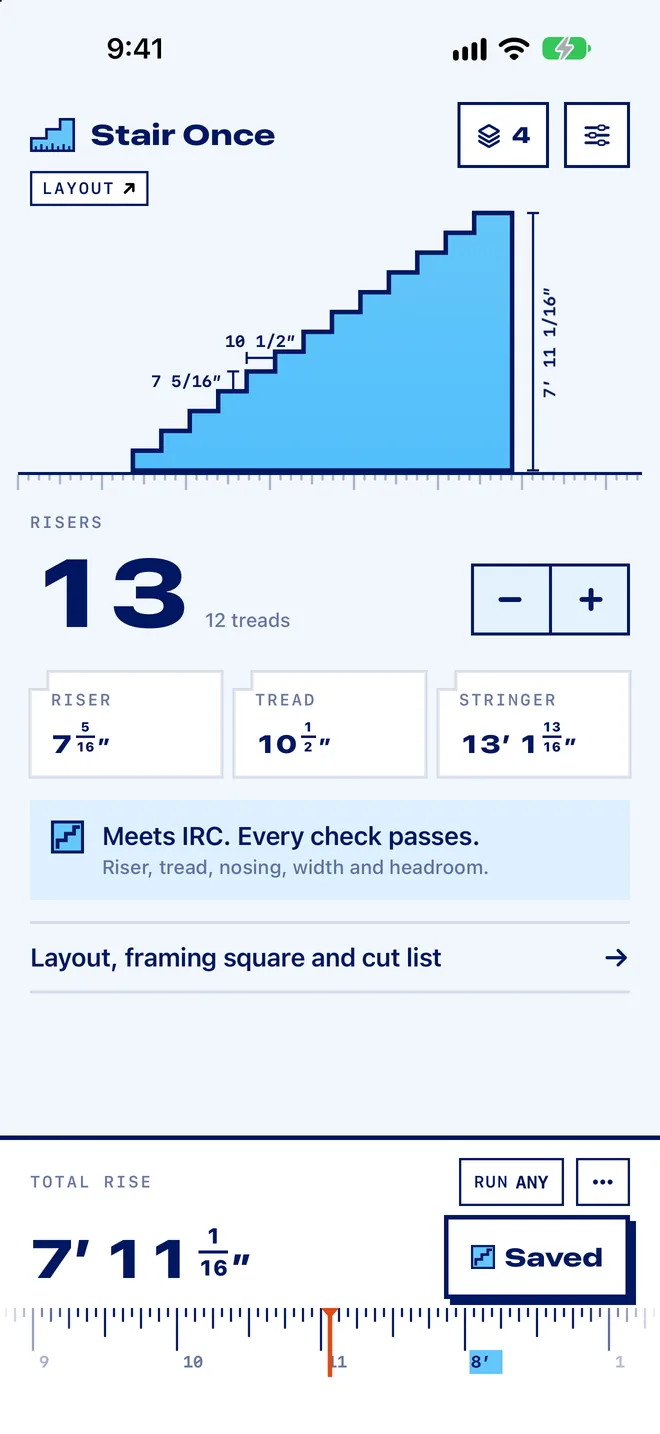
Type the total rise and get the step count, riser height, tread depth and stringer length in feet, inches and sixteenths or in metric, with a code check and the stringer drawn for you. Free to use. Pro is $1.99 one time, and your saved stairs never lock.
Nothing leaves your phone.
What you get here
Built for the stair you're building this month.
You lay out a stair a few times a year. Stair Once is made for exactly that: open it, get the answer, keep the plan.
The answer comes first
Type the rise and read every number right away. No sign-up, no trial, no paywall in front of the calculator.
Your stairs stay yours
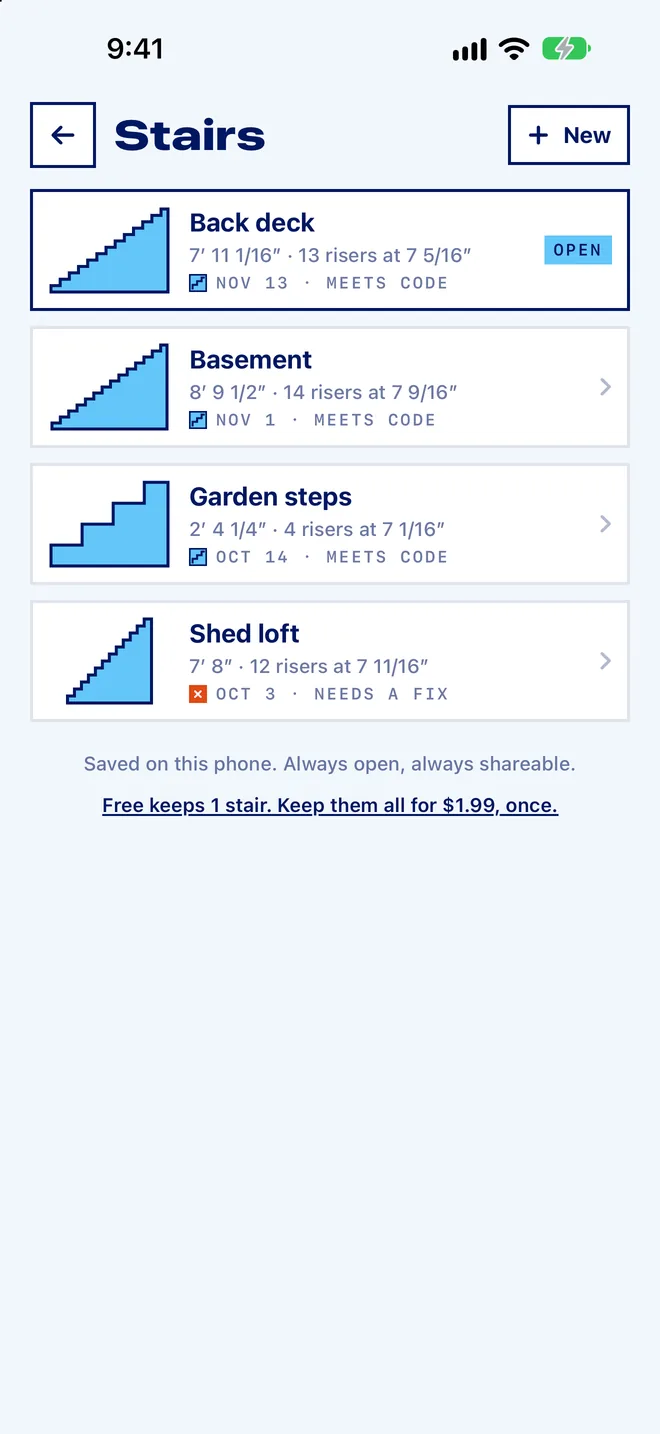
Saved stairs live on your phone and stay open and shareable for good, whether you ever pay or not.
Paid once, $1.99
Unlimited stairs, PDF plans and the cut list for one small payment. Nothing renews, nothing to cancel.
It tells you how to pass
A plain code check on every stair, with the one change that fixes it and a button that makes it.
The cuts, not just the math
First-step drop, throat depth, board to buy and stair gauge settings, drawn on the stringer you'll cut.
Reads like your tape
Feet, inches and sixteenths, or millimeters and centimeters. No decimals to convert at the saw.
How it works
Three steps. One thumb.
No setup and no sign-up. Open it on the job, type the rise, read the cuts.
Measure the rise
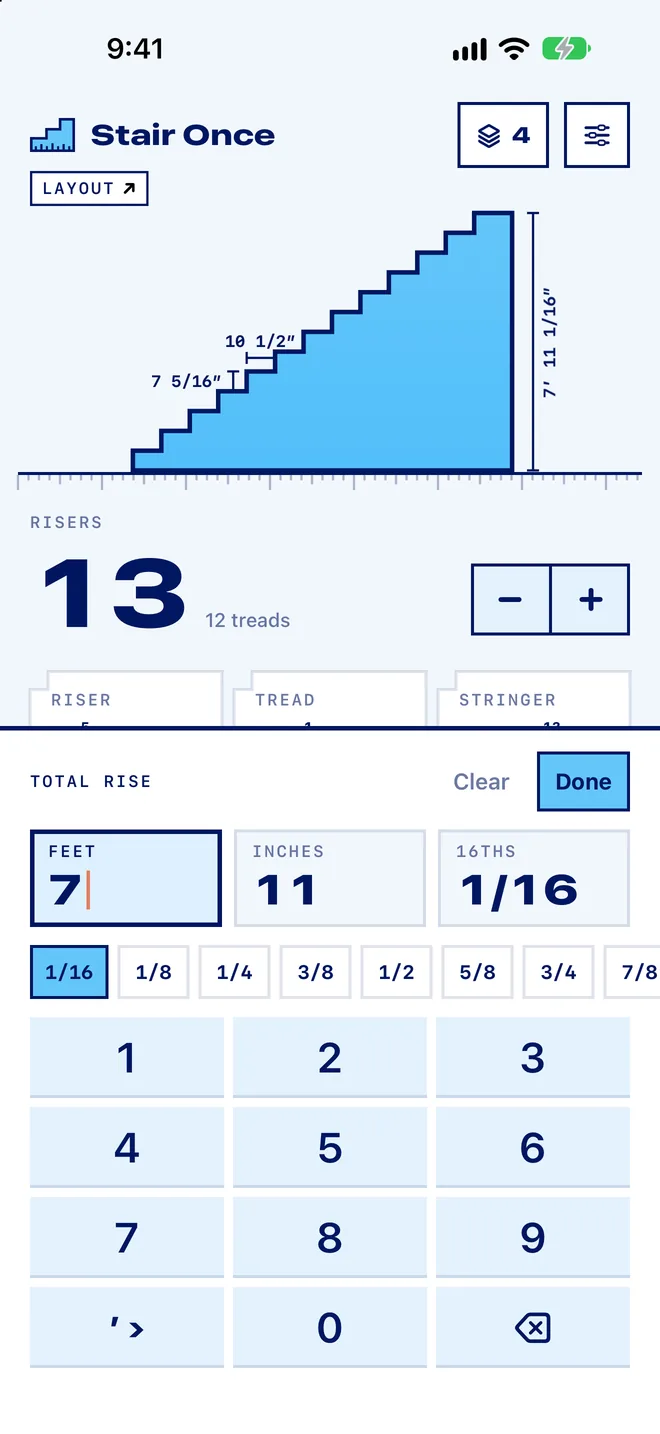
Top of the finished deck or floor, straight down to where the bottom step lands. Type it like a tape: feet, inches and sixteenths, or millimeters.
Read the cuts
Step count, riser, tread, stringer length and the stair gauge settings, with the stair redrawn as you type.
Save and share
Name it, keep it, and send it to the crew or the inspector. It stays open whether you pay or not.
Features
Rise and run, code check and the stringer.
Everything you need between the tape measure and the saw, in one stair calculator.
Solves either way
From the rise alone, or the space you have.
Add a run limit and Stair Once fits the steps to it. Nudge the step count with plus and minus and every number follows. It never hands you a negative first step.
- Feet, inches and sixteenths with one-tap fractions, or metric
- A tape-measure strip you drag with your thumb
- Steps, riser, tread and stringer length at a glance
Code check
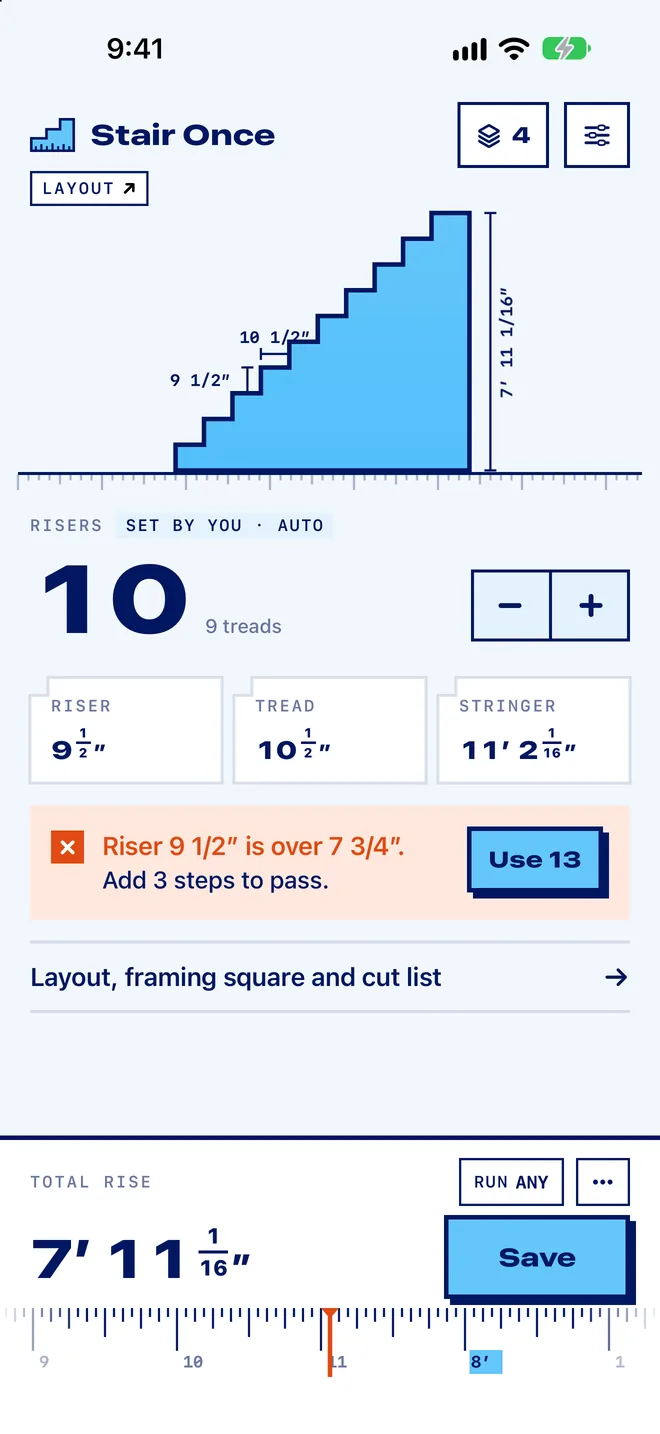
One line tells you how to pass.
Every stair is checked against the residential code: riser 7 3/4 in max, tread 10 in min, nosing, width, headroom and rise per flight. If it fails, one tap fixes it.
- IRC R311.7 limits, IBC one tap away
- Stairwell opening worked out for 6 ft 8 in headroom
- Plain words, not error codes
Stringer layout
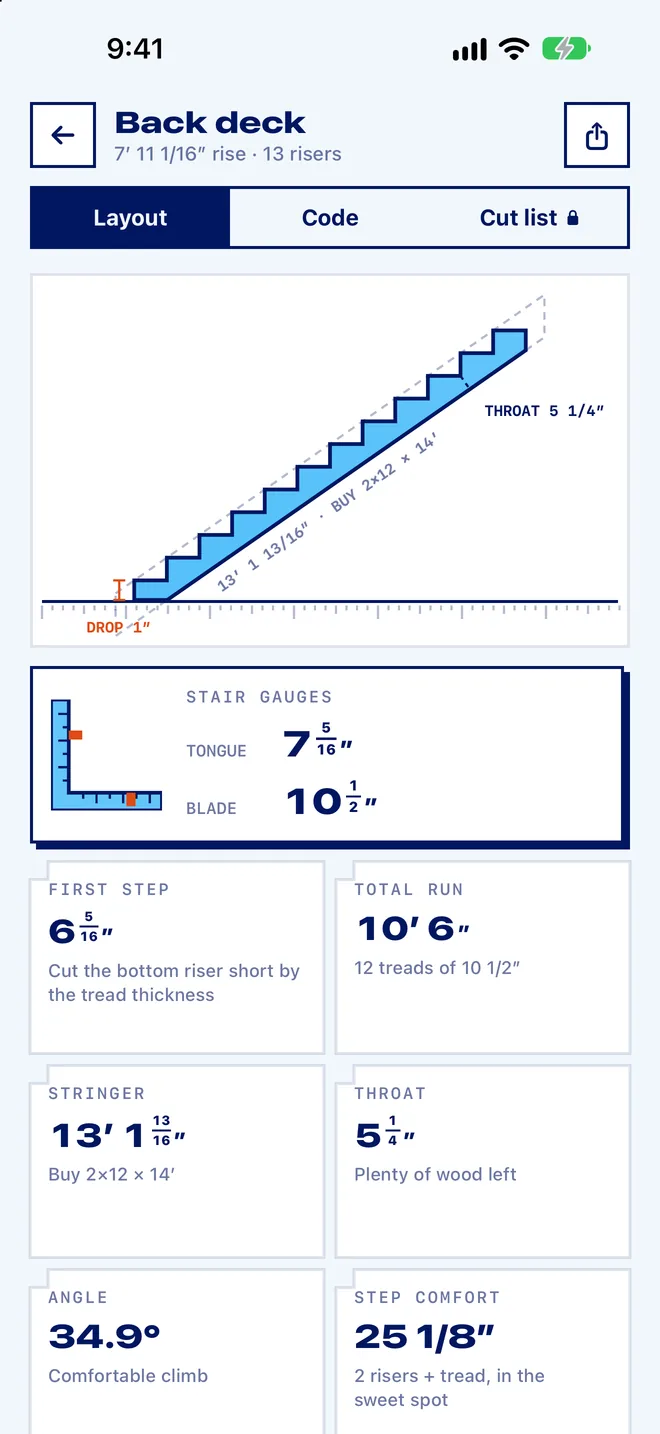
The board you are about to cut.
See every notch, the first-step drop for your tread thickness, the wood left under the cuts, and the board length to buy. The stair gauge numbers are big enough to read at arm's length.
- First-step drop done for you
- Throat depth and board to buy
- Framing square settings for tongue and blade
Saved stairs
Your stairs never lock.
Saved stairs live on your phone. They stay open and shareable forever, whether you bought Pro or not. Send one as an image to the crew or the inspector.
- No account, no cloud, no tracking
- Share as an image, free
- One-page PDF plan with Pro
Price
$1.99 once. That is the whole price.
No trial to cancel and nothing that renews. Use the calculator for free as long as you like.
Free
- The full calculator
- Residential code check with fixes
- Stringer layout and stair gauges
- One saved stair with its drawing
- Share as an image
Pro · one payment
- Everything in Free
- Unlimited saved stairs
- One-page PDF plans
- Cut list with every board
- Family Sharing included
Not after a refund, not if you never upgrade. They are yours.
Guides
The stair math, written down.
How the numbers in the app are worked out, so you can check them by hand.
How to calculate stairs
Rise, run and the number of steps, with a worked example you can check.
Read the guideHow to lay out a stair stringer
Framing square settings, marking the notches and the first-step drop.
Read the guideStair code requirements
IRC limits for riser, tread, headroom, width, handrails and landings.
Read the guideQuestions
Straight answers.
How do you calculate stair rise and run?
Divide the total rise by about 7 1/2 in and round up to get the number of risers. Divide the total rise by that number for the exact riser height. There is one fewer tread than risers, so the total run is the number of treads times the tread depth. See the full method with an example.
Is it really one payment?
Yes. Pro is a single $1.99 in-app purchase. There is no subscription, no trial that turns into a charge, and nothing renews.
What happens to my stairs if I never pay?
You keep one saved stair with its drawing, and it stays open and shareable forever. Pro lets you keep as many as you want.
Does it check building code?
It checks the IRC residential stair rules (riser 7 3/4 in max, tread 10 in min, nosing, width, headroom and rise per flight), with IBC commercial limits as an option. Your local inspector always has the final word. Read the stair code limits.
Does it handle the first-step drop?
Yes. Set your tread thickness and the bottom of the stringer is cut short by that amount, so every finished step comes out the same height. How stringer layout works.
Does it work without signal?
Yes. Everything runs on your phone. There is no account and no server, and your stairs never leave the phone unless you share them.
Does it do metric?
Yes. Switch Units in Settings to millimeters or centimeters. Every number, the code check, the stringer drawing, the PDF and the cut list follow, and your saved stairs convert exactly.
Lay out a stair right the first time.
Free to use. $1.99 once if you want more.